

Certified to help highly regulated industries be more secure and compliant

SOC 2 Certified
ISO 27001

GDPR


Get more visibility and control from one simplified vulnerability and compliance solution

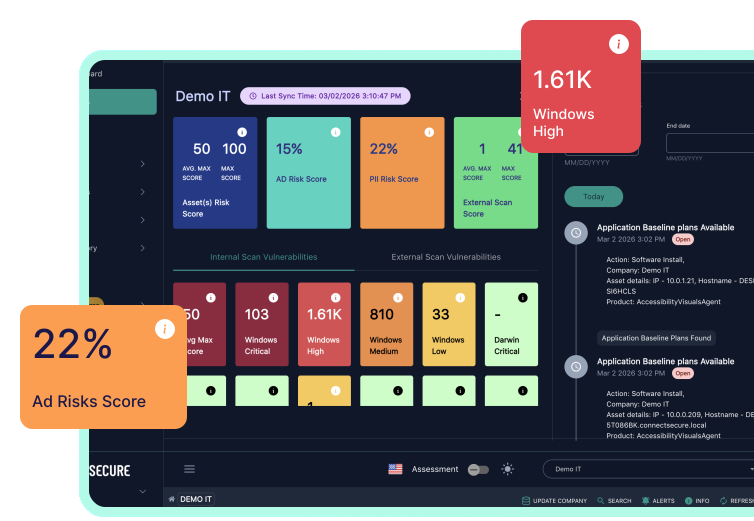
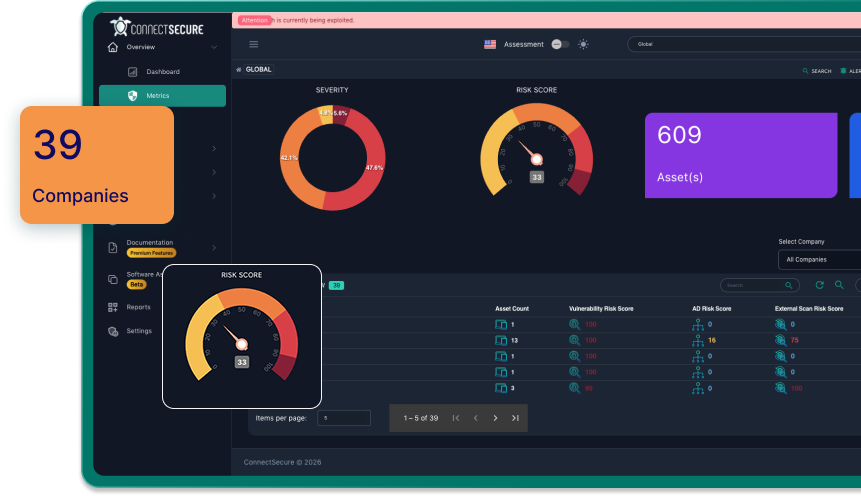
See every internal and external asset
From core infrastructure to third-party apps.

Prove you’re managing vulnerabilities
Show a clear, defensible process to auditors and insurers.

Set up regular scans
Schedule scans and reports, trigger alerts for critical changes.

Know exactly what to fix
Prioritize long lists of CVEs into easy next steps.

Create reports for every audience
Detailed remediation plans. High-level updates. Audit-ready proof.
Try ConnectSecure free for 14 days
Partners get the most affordable, high-value vulnerability scanning and compliance management out there.
No credit card required.
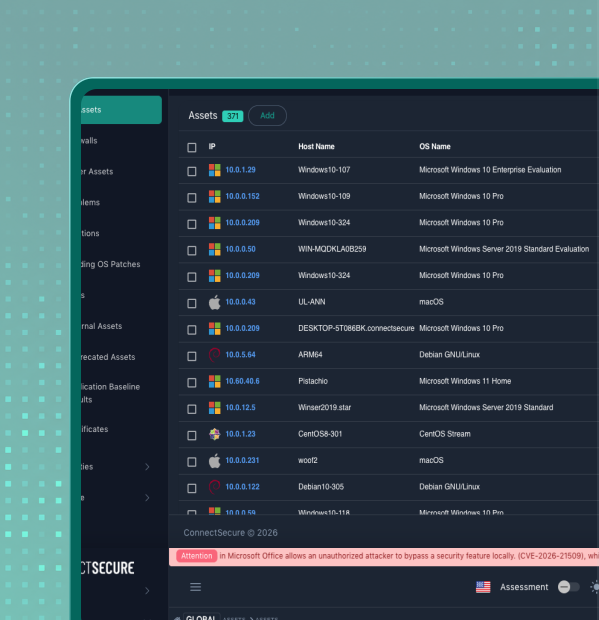
You can't secure what you can't see. Until now.

Identify the entire attack surface
Discover endpoints, network devices, and unmanaged assets that aren't visible in your existing tools.

Find the blind spots in your network
Unmanaged devices, unknown assets, and misconfigured systems create gaps that attackers can exploit.

Get complete visibility over all vulnerabilities. All in one place.

Applications
Detect vulnerabilities in software and third-party apps beyond what basic patching reports surface.

Operating systems
Track vulnerabilities and missing updates across Windows, macOS, and Linux systems.

Network and IoT
Find firewall issues, open ports, exposed services, and protocol issues across networks and devices.

Registry
Identify insecure or vulnerable Windows registry settings tied to known risks and benchmarks.

Drivers
See outdated or vulnerable drivers across endpoints, systems, and devices.

Access controls
Identify weak passwords, excessive privileges, insecure configurations, and more.

Cryptographic
Surface weak or outdated encryption, cipher issues, and certificate problems across your environment.

Third-party and supply chain
See risks introduced by external services, vendors, SaaS platforms, and more.
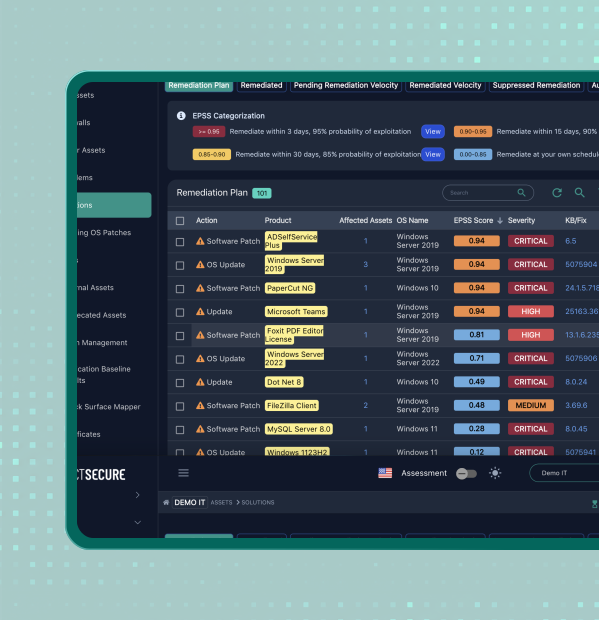
Fix issues faster with built-in remediation.

Go straight from finding to fixing
Apply updates, configuration changes, or removals, without bouncing between tabs.

Patch what matters, automatically
Update operating systems and 600+ third-party apps automatically. No more chasing down updates.

Handle complex fixes without extra work
Run scripts and registry fixes directly from the platform.
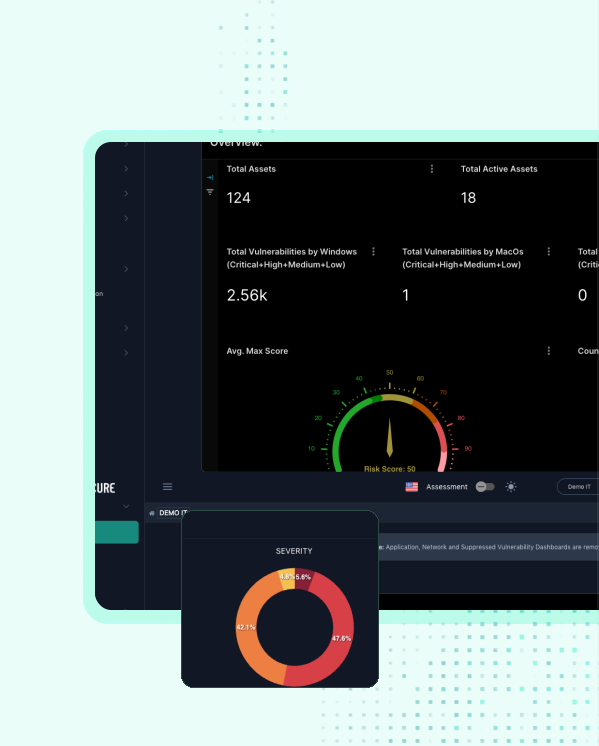
Never get caught off guard again.

Get the complete visibility you need to protect users
Continuously track vulnerabilities, compliance status, and potential exposures.

Know when to act
Get alerted when critical-severity vulnerabilities are detected.

Cut through the noise
Filter thousands of vulnerabilities across your environment, with direct links to the fix and clear next steps.

Focus on what matters
Prioritize issues by exploitability, business impact, and risk.
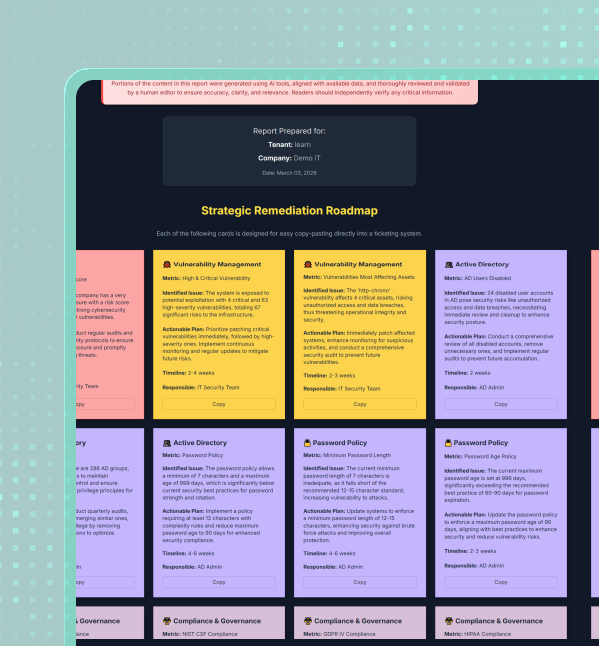
Turn vulnerability and compliance data into clear reports for teams, auditors, and insurers.

Create reports for every audience
Generate executive summaries, remediation-ready reports, and audit-ready documentation.

Show progress and justify decisions
Use vulnerability trends and remediation history to show improvement over time and explain what was prioritized, why it mattered, and how quickly issues were addressed.

Deliver reports automatically
Schedule reports to be sent on a regular cadence so audits don’t turn into fire drills.
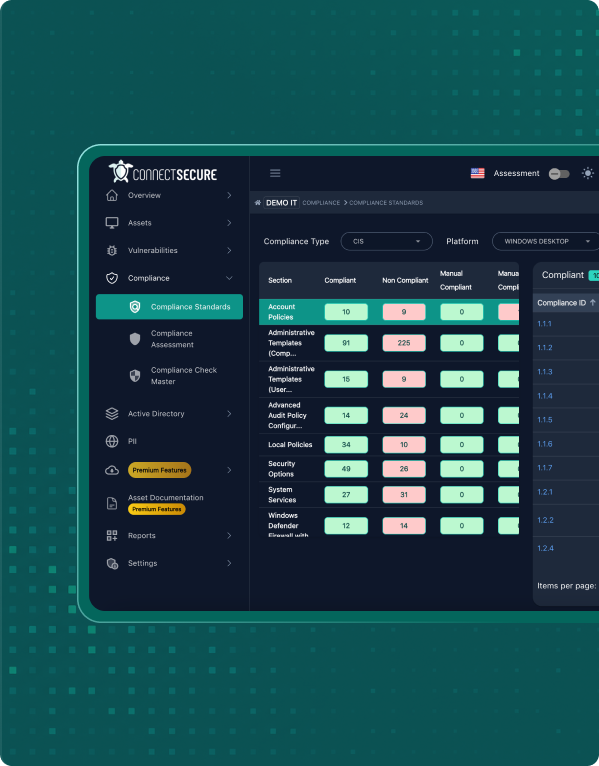
Compliance
Make compliance easier to manage and easier to prove.

Find compliance gaps (before auditors or insurers do)
Surface misconfigurations, missing control safeguards, and unmanaged risk that could lead to fines or insurance issues.
ConnectSecure aligns vulnerability scanning with frameworks like NIST, CIS, Cyber Essentials, HIPAA, and more. So you’re focused on what insurers and auditors actually care about.

Save time with built-in compliance remediation
Fix common issues with built-in framework templates. Get step-by-step guidance for manual fixes. And easily deploy policies through GPO and WMI filters.

Catch compliance drift before it becomes a violation
Track compliance over time and get alerted when configurations or controls drift out of alignment.

Secure Microsoft 365 with CIS benchmarks
Assess configurations, permissions, and identity risk across M365 and align them to CIS security benchmarks, without relying on Secure Score alone.
See external risks before they become internal problems
Monitor vulnerabilities in third-party apps
Use the Web Application Scanner to passively scan the mission-critical tools employees use every day, including CRMs, accounting and marketing tools, and more.
You can also use it to scan your websites, web portals, and other internet-facing applications.
See vulnerabilities like cross-site scripting (XSS), remote code execution (RCE), SQL injection, and other issues that put your environment at risk.
Verify that ISO-certified services are operating the way the standard expects.
See potential problems in external assets
Scan internet-facing IPs and ranges to understand what’s exposed outside your direct control.
See certificate and cipher issues, open or filtered ports, detected vulnerabilities, and any OS or fingerprinting details that can be identified.
Scan externally. No agents. No installs. No maintenance.
Just provide a target, and the platform scans it remotely across your environments.
Get fast visibility into external risks that your team can immediately prioritize and remediate.
Start making vulnerability scanning and compliance management easier today
Your trial is fully functional and includes everything in our platform:
Start your free trialStart scanning in minutes.